How to Fix IPTV Problems Buffering, Freezing, Login Failures, and Playback Issues
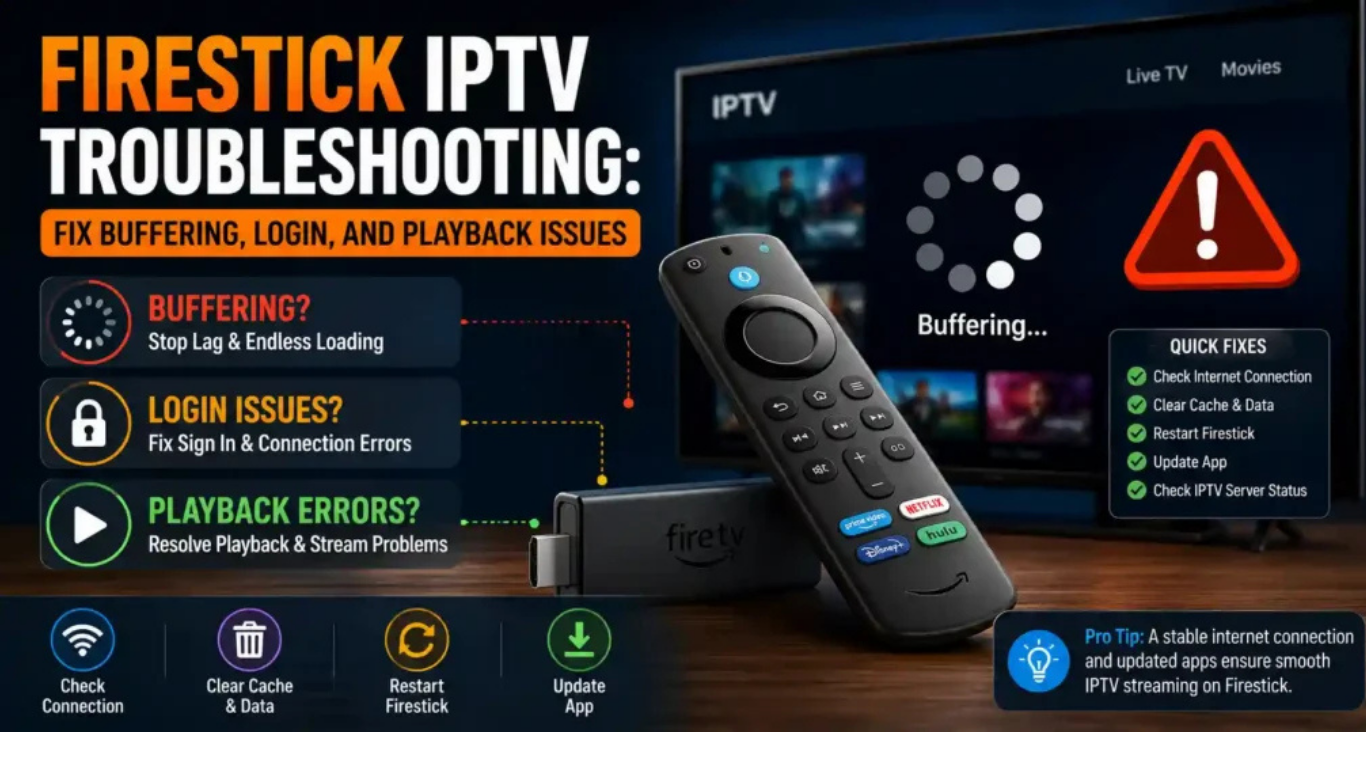
IPTV has changed the way many people watch television by delivering live channels and video content through an internet connection. However, like any internet-based technology,
IPTV UK can sometimes experience problems such as buffering, freezing, connection failures, missing channels, black screens, or app crashes.
Most IPTV issues are caused by a combination of internet connection problems, device limitations, application errors, outdated settings, or service-side problems. A structured troubleshooting approach can help identify the cause and restore a smoother viewing experience. Common troubleshooting areas include network stability, device performance, app configuration, and account status.
This complete IPTV troubleshooting guide explains the most common problems and practical solutions that users can try before contacting technical support.
What Is IPTV Troubleshooting?
IPTV troubleshooting means identifying and fixing problems that prevent IPTV services from working correctly. Unlike traditional television systems, IPTV depends on multiple connected components, including internet speed, streaming devices, IPTV applications, and servers.
A problem in any one of these areas can affect playback quality. For example, a weak Wi-Fi signal may create buffering, while an outdated application may cause login errors or missing channels.
The goal of troubleshooting is to locate the exact cause instead of randomly changing settings.
Common IPTV Problems Users Experience
Before applying fixes, it helps to understand the most frequent IPTV problems.
1. IPTV Buffering Issues
Buffering happens when the video stream cannot download data quickly enough for continuous playback. The screen may pause, show a loading icon, or reduce video quality.
Common causes include:
- Slow internet speed
- Weak Wi-Fi connection
- Network congestion
- Device performance issues
- Server-side problems
- Incorrect app settings
Buffering is one of the most reported IPTV problems, and solutions usually start with checking the network connection, restarting equipment, and optimizing device settings.
2. IPTV Freezing During Playback
Freezing is different from normal buffering because the video may completely stop while the application remains open.
Possible reasons include:
- Unstable internet connection
- Overloaded network
- Outdated IPTV player
- Device overheating
- Stream compatibility issues
Testing another channel can help determine whether the problem affects one stream or the entire service.
3. IPTV Not Loading Channels
Sometimes the IPTV application opens normally, but channels fail to load.
Possible causes:
- Incorrect login details
- Expired subscription
- Incorrect playlist information
- Application configuration problems
- Temporary service issues
Checking account information and refreshing the playlist can often resolve this problem.
How to Fix IPTV Buffering Problems
Buffering is the most common complaint among IPTV users. Follow these steps to improve streaming stability.
Check Your Internet Connection
The first step is testing your internet connection. IPTV requires a stable connection because live streaming depends on continuous data transfer.
Try:
- Running an internet speed test
- Restarting your router
- Disconnecting unused devices
- Moving closer to your Wi-Fi router
A wired Ethernet connection is often more stable than Wi-Fi because it reduces wireless interference.
Restart Your Router and IPTV Device
A simple restart can solve many temporary problems.
Follow these steps:
- Turn off your IPTV device.
- Unplug your router for around 30 seconds.
- Restart the router.
- Turn your IPTV device back on.
- Test your stream again.
Restarting clears temporary network problems and reconnects your device to the internet.
Use Ethernet Instead of Wi-Fi
Wi-Fi performance can be affected by distance, walls, other devices, and wireless interference.
If possible, connect your streaming device directly to your router using an Ethernet cable.
A wired connection can provide:
- More stable streaming
- Lower connection interruptions
- Better performance for high-quality video
Many IPTV users report improved stability after switching from wireless to wired connections.
Reduce Network Usage
Other devices connected to your network may consume bandwidth.
Before watching IPTV, consider:
- Pausing large downloads
- Closing unnecessary apps
- Disconnecting unused devices
- Avoiding multiple high-quality streams simultaneously
A busy home network can reduce available bandwidth.
Fix IPTV Freezing Problems
If your IPTV freezes regularly, try the following solutions.
Clear IPTV App Cache
Streaming applications store temporary files that can sometimes become corrupted.
To clear cache:
- Open device settings.
- Go to applications.
- Select your IPTV app.
- Choose clear cache.
- Restart the application.
This can improve app performance, especially on devices with limited storage.
Update Your IPTV Application
Older app versions may contain bugs or compatibility problems.
Make sure your IPTV player is updated to the latest available version from a trusted source.
Updates may improve:
- Playback performance
- Device compatibility
- Stability
- Security
Restart Your Streaming Device
Smart TVs, Android boxes, and streaming sticks can slow down after long periods of use.
Restarting your device can refresh system resources and solve temporary performance problems.
Fix IPTV Black Screen Problems
A black screen usually means the application connects but cannot display video correctly.
Possible solutions:
Check Video Decoder Settings
Some IPTV applications allow users to switch between hardware and software decoding.
Changing the decoder option may fix:
- Black screens
- Video crashes
- Playback errors
Check Audio and Video Compatibility
If sound works but video does not, the issue may involve codec compatibility.
Try:
- Updating the application
- Testing another player
- Restarting the device
Fix IPTV Login and Authentication Errors
Login problems are usually related to account information or service configuration.
Check:
- Username and password accuracy
- Subscription status
- Internet connection
- Device activation limits
If credentials are correct but access still fails, contact your IPTV provider for account verification.
IPTV App Troubleshooting Tips
The IPTV application plays an important role in streaming performance.
Common app-related solutions include:
Reinstall the IPTV App
If an application crashes repeatedly:
- Remove the app.
- Restart your device.
- Install the application again.
- Add your IPTV details.
A fresh installation can remove damaged files.
Check Application Permissions
Some devices require permissions for network access or storage.
Review your app settings and ensure necessary permissions are enabled.
Device-Specific IPTV Troubleshooting
Different devices may require different solutions.
Fire TV Stick IPTV Problems
Common fixes:
- Clear app cache
- Restart Fire TV Stick
- Remove unused applications
- Check available storage
Smart TV IPTV Problems
Try:
- Updating TV software
- Restarting the television
- Checking network settings
- Reinstalling the IPTV application
Android Box IPTV Problems
Solutions include:
- Clearing memory
- Updating firmware
- Using a compatibleIPTV player
- Checking network stability
Advanced IPTV Troubleshooting Solutions
If basic solutions do not work, try advanced troubleshooting.
Test Another IPTV Player
Sometimes the problem is not the service but the application.
Testing another compatible player can help identify whether the issue comes from the app or the stream.
Check DNS Settings
DNS problems may affect how quickly your device connects to online services.
Some users test alternative DNS providers to improve connection reliability, although results depend on the network environment.
Consider ISP-Related Problems
Some IPTV problems happen because of internet service provider restrictions, routing issues, or network congestion.
If IPTV works well during some times but struggles during busy periods, the network may be contributing to the problem.
When Should You Contact IPTV Support?
After trying common fixes, you may need technical support if:
- All channels stop working.
- Login credentials fail
- The service is unavailable on multiple devices.
- Problems continue after network testing.
Before contacting support, collect useful information:
- Device model
- IPTV application name
- Error message
- Internet speed results
- Time when the issue happens
This information helps support teams diagnose problems faster.
IPTV Troubleshooting Checklist
Use this quick checklist:
✓ Restart router
✓ Restart IPTV device
✓ Check internet connection
✓ Use Ethernet if possible
✓ Clear application cache
✓ Update IPTV app
✓ Check account status
✓ Test another channel
✓ Test another player
✓ Contact support if needed
Frequently Asked Questions About IPTV Troubleshooting
Why does my IPTV keep buffering?
Your IPTV may keep buffering because of unstable internet, weak Wi-Fi, device performance issues, application problems, or service-side interruptions. Start by checking your network connection and restarting your equipment.
How can I stop IPTV freezing?
To reduce freezing, improve internet stability, clear your IPTV app cache, update your application, and ensure your streaming device has enough resources.
Why are my IPTV channels not loading?
Channels may fail to load because of incorrect account details, playlist problems, expired access, network issues, or temporary service interruptions.
Does Ethernet improve IPTV performance?
Yes, Ethernet can provide a more stable connection than Wi-Fi in many situations because it reduces wireless interference and connection drops.
Why does IPTV work on one device but not another?
Different devices have different hardware capabilities, applications, and network settings. The issue may be related to the device rather than the IPTV service.
Should I reinstall my IPTV app?
Reinstalling can help if the application is damaged, outdated, or experiencing repeated crashes.
Why does IPTV stop working suddenly?
Sudden problems can happen because of internet changes, device errors, account issues, application problems, or temporary service interruptions.
Conclusion
Most IPTV problems can be solved by following a logical troubleshooting process. Start with simple solutions such as checking your internet connection, restarting devices, updating applications, and clearing cache.
If problems continue, investigate deeper issues such as device compatibility, network configuration, or service-related problems.
A reliable IPTV experience depends on several factors working together: a stable internet connection, properly configured applications, capable devices, and an active service account.
By following this IPTV troubleshooting guide, users can quickly identify common problems and take practical steps toward smoother streaming.
