Best IPTV Devices Complete Guide for Smooth Streaming
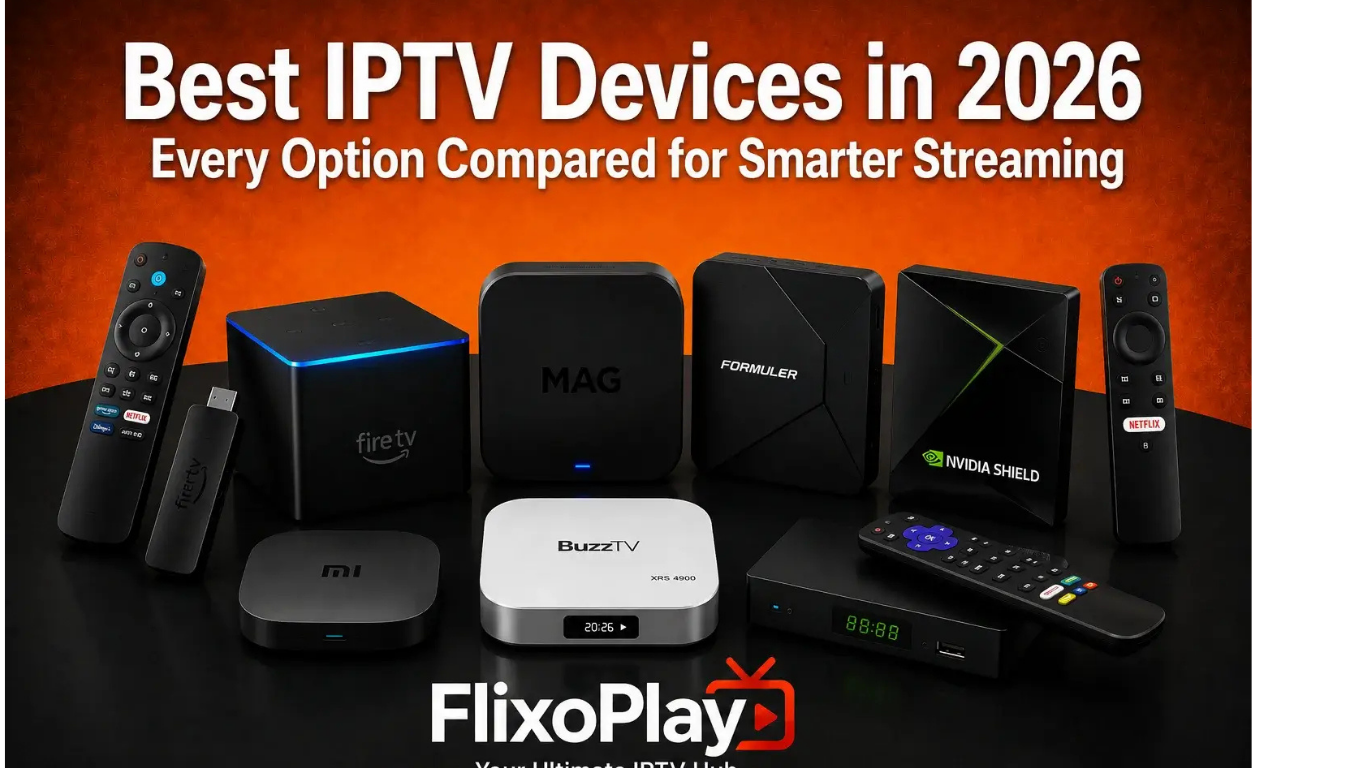
Choosing the right IPTV device is one of the most important decisions if you want a reliable and enjoyable streaming experience. While your IPTV subscription provides the content, the device you use determines how smoothly channels load, how quickly menus respond, and whether you can enjoy HD or 4K streaming without buffering.
Today's
IPTV services work with a wide range of hardware, from Smart TVs and streaming sticks to dedicated Android TV boxes and premium media players. The best option depends on your viewing habits, budget, and preferred operating system rather than one universal device.
This guide explains everything you need to know about IPTV devices, including their features, advantages, disadvantages, and how to choose the right one for your home.
What Are IPTV Devices?
IPTV devices are hardware that allow users to stream television over an internet connection instead of traditional cable or satellite.
These devices connect to your television and run compatible IPTV player applications that display live TV, video-on-demand content, catch-up television, and electronic programme guides (EPGs).
Most modern IPTV services support formats such as:
- M3U Playlists
- Xtream Codes Login
- Portal URLs
- Electronic Programme Guides (EPG)
Unlike traditional cable boxes, IPTV devices rely on your broadband connection and software applications for content delivery.
Why Your IPTV Device Matters
Many people blame buffering on their IPTV provider, but the streaming device often plays an equally important role.
A quality device offers:
- Faster processing
- Better video decoding
- Stable Wi-Fi performance
- 4K HDR support
- Better app compatibility
- Faster navigation
- Reliable firmware updates
An outdated device with limited memory or processing power may struggle even when your internet connection is fast.
Types of IPTV Devices
1. Smart TVs
Modern Smart TVs often include app stores that allow IPTV player installation.
Popular platforms include:
- Android TV
- Google TV
- Samsung Tizen
- LG webOS
Advantages
- No additional hardware
- Simple installation
- Clean setup
- Supports multiple IPTV apps
Disadvantages
- Older televisions may become slow.
- Limited storage
- Some apps unavailable
Smart TVs work well for casual users who prefer minimal equipment.
2. Amazon Fire TV Stick
The Fire TV Stick remains one of the most popular IPTV devices because it combines affordability with excellent performance.
Benefits include:
- Easy setup
- Portable
- 4K models available
- Large app ecosystem
- Voice remote
It supports many IPTV player applications, making it suitable for beginners and experienced users alike.
3. Android TV Boxes
Android TV boxes provide one of the most flexible IPTV experiences.
Features include:
- Google Play Store
- Expandable storage
- USB support
- Ethernet ports
- Bluetooth accessories
They allow installation of many
IPTV UK players alongside streaming apps like YouTube and Netflix.
These devices are ideal for users wanting maximum flexibility.
4. Apple TV
Apple TV is designed for users invested in Apple's ecosystem.
Advantages include:
- Fast performance
- Excellent picture quality
- Premium interface
- Strong security
- Long software support
Although IPTV app choices are slightly more limited compared to Android, many major IPTV players support Apple TV.
5. MAG Boxes
MAG boxes were specifically designed for IPTV.
They are known for:
- Simple interface
- Stable playback
- Portal support
- Fast channel switching
Many IPTV providers continue supporting MAG devices because of their straightforward configuration.
6. Windows and Mac Computers
Desktop computers can also function as IPTV devices.
Advantages include:
- Large displays
- Powerful hardware
- Easy playlist management
- Multitasking
This option is particularly useful for users who watch television while working.
7. Smartphones and Tablets
Modern IPTV apps support both Android and iOS.
Benefits include:
- Watch anywhere
- Portable
- Mobile internet support
- Offline management
Many people use smartphones as secondary IPTV viewing devices while travelling.
Features to Look for in IPTV Devices
When buying a streaming device, consider these features.
Processor
A faster processor ensures:
- Smooth menus
- Quick channel changes
- Better multitasking
RAM
At least:
- 2 GB RAM for HD
- 4 GB or more for 4K streaming
Storage
Additional storage helps install:
- IPTV apps
- Streaming platforms
- Games
- Media players
Network Support
Look for:
- Dual-band Wi-Fi
- Gigabit Ethernet
- Wi-Fi 6 if available
Stable internet connectivity is often more important than maximum download speed.
Video Support
Modern IPTV devices should support:
- Full HD
- 4K UHD
- HDR10
- H.265 decoding
Internet Requirements
Even the best IPTV device cannot compensate for poor internet.
General recommendations:
| |
| SD | 10 Mbps |
| HD | 20 Mbps |
| Full HD | 25 Mbps |
| 4K | 40 Mbps or higher |
A wired Ethernet connection generally provides the most stable experience.
How to Set Up an IPTV Device
The setup process is usually straightforward.
Step 1
Connect the device to your television.
Step 2
Connect to the internet.
Step 3
Step 4
Enter your playlist or login credentials.
Step 5
Load channels.
Step 6
Configure the electronic programme guide.
Step 7
Begin watching.
Most setups can be completed within a few minutes using provider-supplied credentials.
Tips for Better IPTV Performance
Improve streaming by:
- Using Ethernet where possible
- Keeping software updated
- Restarting devices occasionally
- Closing background applications
- Using modern Wi-Fi routers
- Avoiding overloaded networks
Common Problems
Buffering
Possible causes:
- Weak Wi-Fi
- Slow device
- Busy network
- ISP issues
App Crashes
Usually caused by:
- Outdated software
- Low storage
- Memory limitations
Audio Sync Issues
Often fixed by:
- Restarting playback
- Updating the player
- Changing decoder settings
Are IPTV Devices Legal?
The devices themselves are legal. Legality depends on the streaming service and whether it has the rights to distribute the content you watch. Always use legitimate services and authorised applications.
Frequently Asked Questions
What is the best IPTV device?
There is no single best choice. Smart TVs, Android TV boxes, Apple TV, Fire TV Stick, and MAG boxes all suit different needs and budgets.
Can I use IPTV on a Smart TV?
Yes. Many Smart TVs support IPTV applications directly through their app stores.
Is 4K necessary?
Only if you have a compatible television, a fast internet connection, and content available in 4K.
Do IPTV devices require subscriptions?
The device does not require a subscription, but most IPTV services do.
Can I watch IPTV on multiple devices?
Many providers allow multiple connections depending on your subscription plan.
Does faster internet improve IPTV?
Yes. A stable connection significantly improves streaming quality and reduces buffering.
Conclusion
Selecting the right IPTV device can dramatically improve your streaming experience. Whether you prefer a Smart TV, Fire TV Stick, Android TV box, Apple TV, MAG box, or another compatible platform, choosing hardware with adequate processing power, reliable connectivity, and support for modern IPTV applications will help you enjoy smoother playback and better picture quality.
For the best results, pair a quality IPTV device with a stable internet connection, keep your software updated, and use a legitimate IPTV service. With the right combination, you can enjoy live television, on-demand entertainment, and catch-up content across multiple screens with ease.
Internal Link Plan
| Article Section | Anchor Text | Destination | Reason |
| Introduction | Best IPTV UK | https://iptvuk.lat/ | Homepage |
| IPTV Apps | IPTV Apps | /iptv-apps/ | Related guide |
| Setup | IPTV Installation Guide | /iptv-installation-guide/ | User help |
| Streaming | IPTV Subscription | /iptv-subscription/ | Service page |
| FAQ | IPTV FAQ | /faq/ | Support |
| Conclusion | Contact Us | /contact/ | Conversion |
