Best IPTV Apps for Firestick Top 10 IPTV Players in 2026
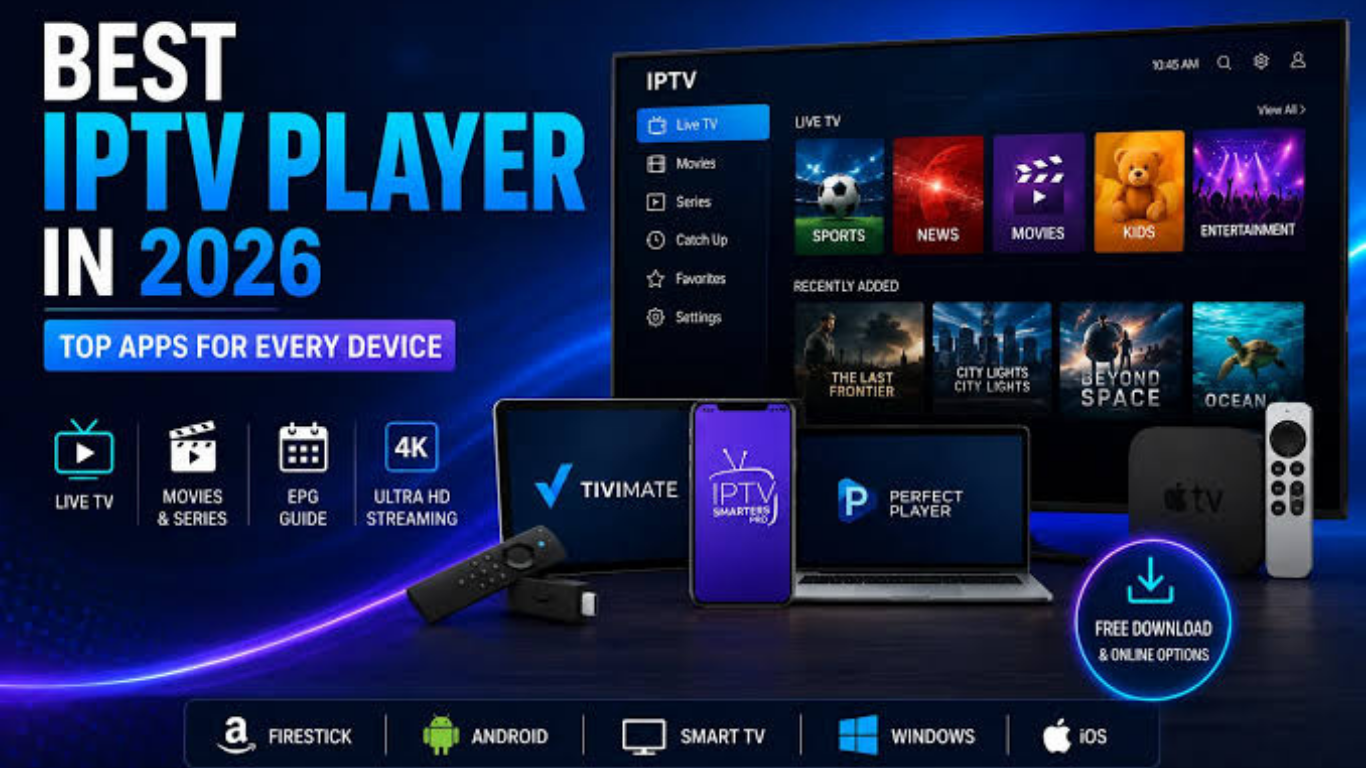
Amazon Fire TV Stick has become one of the most popular streaming devices because it is affordable, portable, and easy to use. If you already have an IPTV subscription, choosing the right IPTV player is just as important as choosing a quality provider. The right app improves navigation, supports electronic program guides (EPG), reduces buffering, and delivers a better viewing experience.
In this guide, we'll cover the Best IPTV apps for Firestick, compare their features, explain what makes a great IPTV player, and help you choose the ideal option for your needs. Remember that IPTV apps are media players—they do not include TV channels or subscriptions. You'll need your own IPTV playlist or Xtream Codes credentials from a compatible provider.
What Is an IPTV App?
An IPTV app is software that allows you to stream television channels, movies, and on-demand content through an internet connection using your IPTV provider's playlist.
Most IPTV apps support:
- M3U playlists
- Xtream Codes API
- Electronic Program Guide (EPG)
- Video on Demand (VOD)
- Catch-up TV
- Multi-screen viewing
- Favorites management
Unlike IPTV services, these apps don't provide channels. They simply organize and play content from your subscription.
Why Firestick Is Perfect for IPTV
Firestick is one of the most popular devices for IPTV because it offers:
- Affordable hardware
- Fast performance
- Simple interface
- Voice remote support
- 4K streaming compatibility
- Easy app installation
- Excellent Wi-Fi performance
When paired with a reliable IPTV player, Firestick delivers an excellent home entertainment experience.
Top 10 IPTV Apps for Firestick
1. TiviMate
TiviMate is widely regarded as the best IPTV player for Firestick.
Pros
- Beautiful TV interface
- Fast channel switching
- Advanced EPG
- Multi-playlist support
- Recording (Premium)
- Catch-up TV
Cons
- Premium version required for all features
- Android TV only
Best for:
Users wanting the most complete IPTV experience.
2. IPTV Smarters Pro
One of the most recognised IPTV players available today.
Features
- Xtream Codes support
- M3U playlists
- Live TV
- Movies
- Series
- Multi-screen
- External player support
Pros
- Beginner friendly
- Modern interface
- Works on multiple devices
Cons
- Some advanced features depend on your provider.
3. Sparkle TV
Sparkle TV is becoming increasingly popular thanks to its smooth interface.
Highlights include:
- DVR support
- EPG
- Playlist management
- Android TV optimization
Ideal for users who want an alternative to TiviMate.
4. XCIPTV Player
XCIPTV offers an attractive interface with powerful playback options.
Features:
- Built-in video player
- EPG
- Catch-up
- External player support
- VOD support
Pros
- Easy setup
- Reliable playback
- Lightweight
5. OTT Navigator
Perfect for advanced IPTV users.
Benefits include:
- Powerful filtering
- Multiple playlists
- Extensive customization
- Picture-in-picture
It has a learning curve but offers impressive flexibility.
6. Perfect Player IPTV
Perfect Player has been around for years and remains a solid choice.
Features include:
- M3U support
- XMLTV EPG
- Lightweight design
- External player compatibility
Its simple interface works well on older Firestick models.
7. IBO Player
IBO Player is known for its clean interface and quick setup.
Advantages
- Fast navigation
- Smooth playback
- Premium appearance
- Stable performance
Many IPTV providers recommend this player because it's easy to configure.
8. Hot Player
Hot Player has become increasingly popular among IPTV users.
Key features
- Fast loading
- Playlist management
- Modern interface
- Excellent video quality
9. Kodi
Kodi isn't an IPTV app by itself but supports IPTV through add-ons and playlists.
Advantages
- Highly customizable
- Massive community
- Free
- Supports many media formats
Best for experienced users
10. VLC Media Player
Although designed as a media player, VLC can stream IPTV playlists.
Benefits
- Completely free
- Lightweight
- Reliable playback
- Supports nearly every video format
Great for users who simply want to play an M3U playlist.
Comparison Table
| TiviMate | Yes | Yes | Yes | Yes | Yes |
| IPTV Smarters Pro | Yes | Yes | Yes | Limited | Yes |
| Sparkle TV | Yes | Yes | Yes | Yes | Yes |
| XCIPTV | Yes | Yes | Yes | Limited | Yes |
| OTT Navigator | Yes | Yes | Yes | Yes | Intermediate |
| Perfect Player | Yes | Yes | Limited | No | Yes |
| IBO Player | Yes | Yes | Yes | No | Yes |
| Hot Player | Yes | Yes | Yes | No | Yes |
| Kodi | Yes | Yes | Add-ons | Yes | Intermediate |
| VLC | No | Yes | No | No | Yes |
How to Install an IPTV App on Firestick
Installing an IPTV app usually involves these steps:
- Open Firestick Settings.
- Enable installation from unknown sources if required.
- Install the Downloader app.
- Download the IPTV player from its official source.
- Install the application.
- Open the app.
- Enter your M3U playlist or Xtream Codes credentials.
- Wait for channels to load.
Always download apps from trusted sources to reduce security risks.
What Makes a Good IPTV App?
The best IPTV apps should offer:
- Fast channel loading
- Stable playback
- EPG support
- Catch-up TV
- VOD support
- Playlist management
- Multiple account support
- External player compatibility
- Remote-friendly interface
- Regular updates
Free vs Premium IPTV Apps
Free Apps
Advantages
- No cost
- Easy to test
- Good for beginners
Limitations
- Fewer customization options
- Limited advanced features
Premium Apps
Advantages
- Better performance
- Recording
- Multi-screen
- Advanced EPG
- Faster updates
Premium players are generally worth considering if you use IPTV daily.
Tips for Better IPTV Streaming on Firestick
For the best viewing experience:
- Use a high-speed internet connection.
- Keep your Firestick updated.
- Clear app cache regularly.
- Restart your Firestick occasionally.
- Close background applications.
- Choose a reliable IPTV provider.
- Use a modern IPTV player with frequent updates.
Common Problems and Solutions
Buffering
- Restart your router.
- Check internet speed.
- Try another server from your provider.
Missing Channels
- Refresh your playlist.
- Reload EPG.
- Verify your IPTV subscription.
App Crashes
- Update the app.
- Clear cache.
- Reinstall the player.
EPG Not Loading
- Refresh guide data.
- Check XMLTV settings.
- Confirm EPG support from your provider.
Which IPTV App Should You Choose?
Your choice depends on your experience level.
Beginners
- IPTV Smarters Pro
- XCIPTV
Advanced Users
- TiviMate
- OTT Navigator
Simple and Lightweight
- VLC
- Perfect Player
Best Overall
TiviMate remains one of the most recommended IPTV players thanks to its polished interface, powerful features, and excellent performance on Firestick.
Frequently Asked Questions
Is an IPTV app the same as an IPTV service?
No. An IPTV app is only the media player. You need a separate IPTV subscription or playlist to access content.
Which IPTV app is best for Firestick?
Many users prefer TiviMate because of its user-friendly interface, advanced EPG, and multi-playlist support.
Are IPTV apps free?
Some IPTV apps are free, while others offer premium versions with additional features.
Can I use multiple IPTV subscriptions?
Yes. Many IPTV apps support multiple playlists or Xtream Codes accounts.
Do IPTV apps include TV channels?
No. They only play content provided by your IPTV subscription.
Can I install IPTV apps on every Firestick model?
Most IPTV players work on all recent Amazon Fire TV Stick devices, including Firestick Lite, Firestick 4K, Firestick 4K Max, and Fire TV Cube.
Conclusion
Choosing the right IPTV player can significantly improve your Firestick streaming experience. Whether you want advanced features like recording and multi-screen viewing or simply need a lightweight app for everyday use, there are plenty of excellent options available.
For most users, TiviMate, IPTV Smarters Pro, Sparkle TV, and XCIPTV provide the best combination of speed, reliability, and ease of use. Pair any of these apps with a dependable IPTV subscription, and you'll enjoy a smooth and organised streaming experience on your Firestick.
Internal Link Suggestions for https://iptvuk.lat/
| Best IPTV UK | / |
| IPTV Subscription | /iptv-subscription/ |
| IPTV for Smart TV | /iptv-for-smart-tv/ |
| IPTV Setup Guide | /setup-guide/ |
| IPTV Channels | /channels/ |
Suggested featured image: Amazon Fire TV Stick remote with a TV displaying an IPTV player interface (16:9).
Conclusion
To conclude, IPTV UK for LG Smart TV provides valuable insights into improving your IPTV experience on any device.
By following the steps in this guide, you can enjoy smooth and high-quality streaming with ease.
Always rely on a trusted IPTV provider, keep your app updated, and maintain a stable internet connection for the best performance.
For reliable IPTV services in the UK, visit
iptvuk.lat —
your go-to destination for premium IPTV UK subscriptions.
Contact Us
Have questions or need assistance? We're here to help!
Get in Touch
Email Us
contact@iptvuk.lat
Available 24/7
Call Us
+447882742512
Available 24/7
Live Chat
Available on our website
Response time: Under 5 minutes
Our Hours
Customer Support: 24/7
Sales Department: Mon-Fri, 9am-6pm GMT
Technical Support: 24/7
